 Documentation
Switching Networks
If your application requires a specific network, you can programmatically request a network switch or prompt the user to change networks manually through the wallet interface.
Programmatic Network Switch
Call the asynchronous switchNetwork() method to initiate a network switch. The wallet prompts the user for approval. Once confirmed, WalletConnect automatically updates the network property to reflect the change.
The following networks are available for switching:
- mainnet
- testnet
- regtest
import { useWalletConnect, WalletNetwork } from "@btc-vision/walletconnect";

function App() {
    const { switchNetwork } = useWalletConnect()

    return (
        <button onClick={async () => { await switchNetwork(WalletNetwork.testnet) } }>
            Switch to Testnet
        </button>
    )
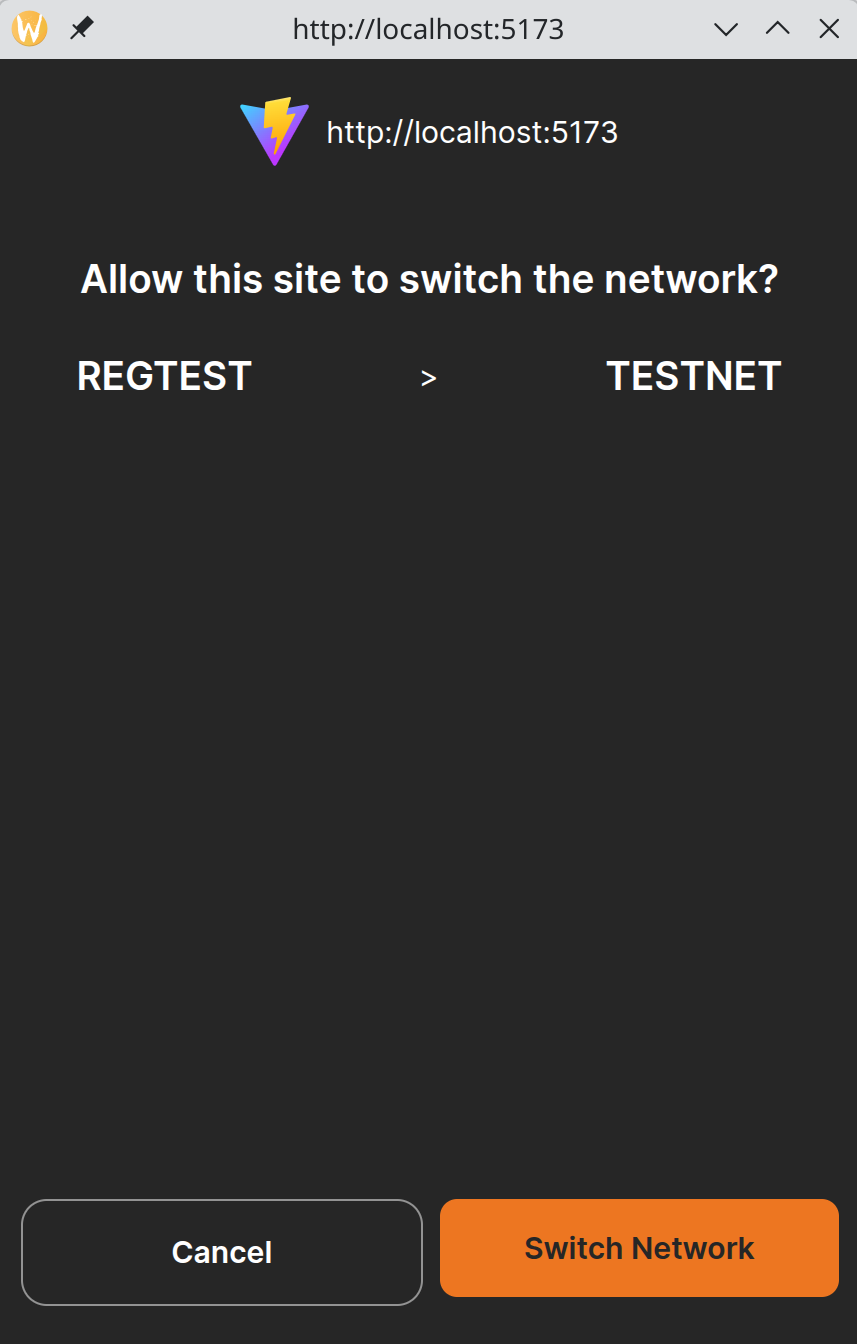
}The screenshot below shows the OP_WALLET confirmation dialog displayed when switchNetwork() is called:
Manual Network Switch
The user can also switch networks directly from the wallet interface. When this occurs, the network property updates automatically.
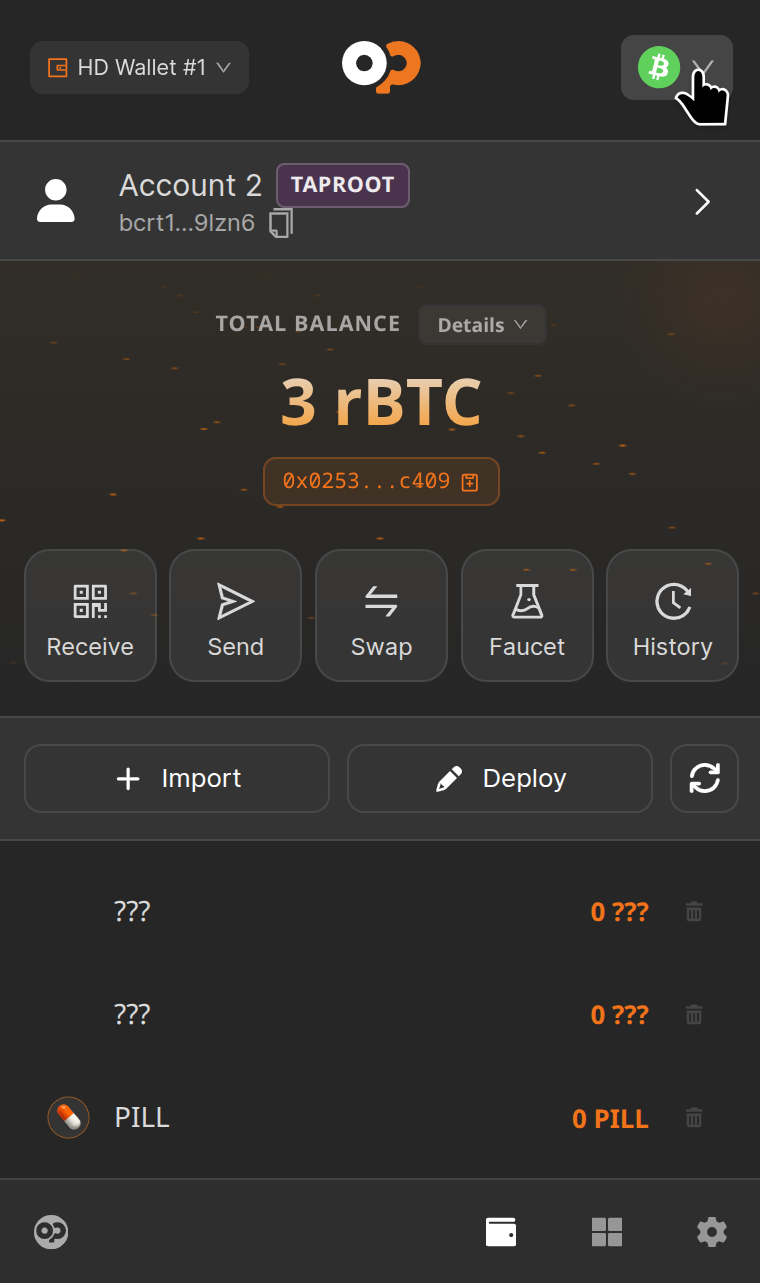
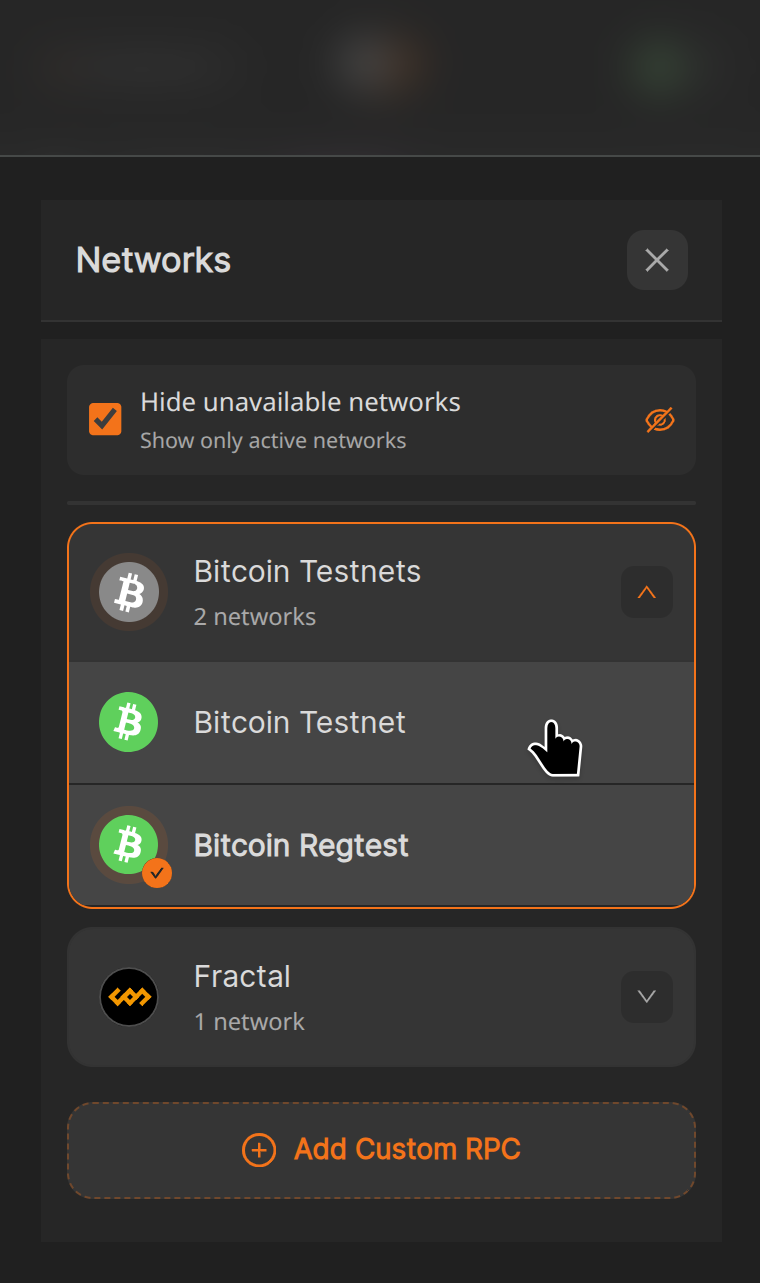
The following screenshots demonstrate how to switch networks in OP_WALLET.
Click the network selector in the upper-right corner of the extension and select the desired network:
Monitoring for Network Changes
WalletConnect provides two methods for monitoring network changes:
- Observe the network property using React effects.
- Register an event listener on the walletInstance.
Observe the network Property
Observe network property using React effects. This property returns null when disconnected and updates when:
- A wallet connection is established.
- The network changes.
- The wallet disconnects.
- The user confirms a network switch through the wallet interface.
import { useWalletConnect } from "@btc-vision/walletconnect";

function App() {
    const {connectToWallet, network} = useWalletConnect()

    useEffect(() => {
        if (network) {
            console.log("Connected to network: ", network.network);
        }
    }, [network]);

    return (
        <button onClick={async () => { await connectToWallet('OP_WALLET')} } >Connect to OP_WALLET</button>
    )
}Register an Event Listener
Call on() method on the walletInstance to register a listener for network change events. Remove the listener with removeListener() when no longer needed. Note that the event name is specific to each wallet provider.
import { useWalletConnect, type WalletConnectNetwork } from "@btc-vision/walletconnect";

function App() {
    const {connectToWallet, walletInstance} = useWalletConnect()

    const chainChanged = useCallback((chain: WalletConnectNetwork) => {
        // Do something knowing network changed
        console.log("NetworkChanged", chain.network)
    }, []);

    useEffect(() => {
        if (walletInstance) {
            walletInstance.on("chainChanged", chainChanged);

            return () => {
                walletInstance.removeListener("chainChanged", chainChanged);
            };
        }
    }, [walletInstance, chainChanged]);

    return (
        <button onClick={async () => { await connectToWallet('OP_WALLET')} } >Connect to OP_WALLET</button>
    )
}